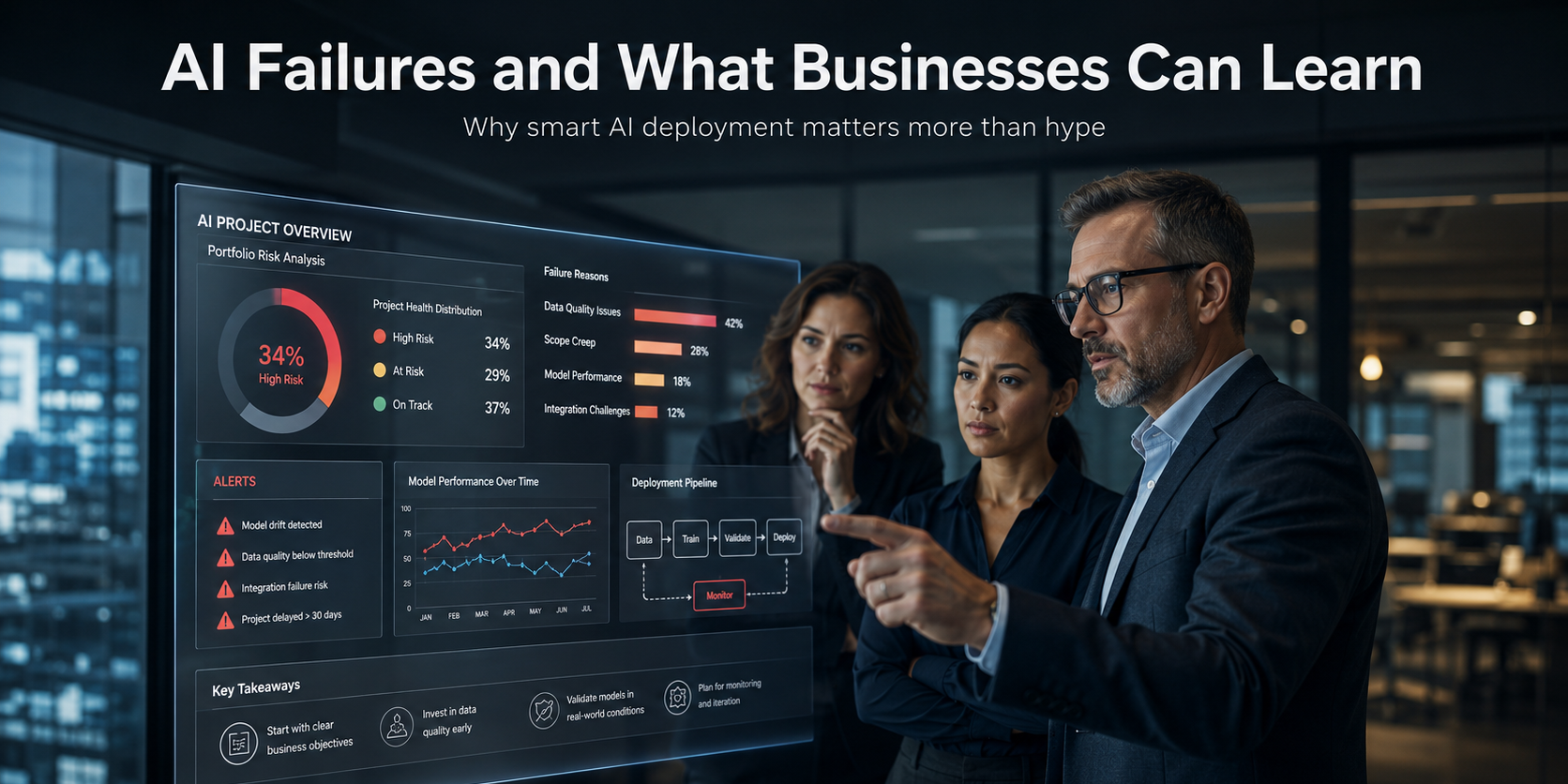
The Pattern Behind Most AI Failures
When a major company has a public AI failure, it is tempting to make the story simple.
The technology failed.
The company moved too fast.
Someone made a bad decision.
Sometimes those things are true. But usually, the real story is more complicated.
Most large companies have smart people working on these projects. They have serious budgets, technical teams, consultants, vendors, and internal pressure to get AI right. So the lesson is not that Starbucks, McDonald’s, Air Canada, IBM, Zillow, or any other company was foolish.
The better lesson is that AI is harder to deploy in the real world than it looks in a demo.
That matters.
In a demo, the data is clean. The use case is narrow. The environment is controlled. The AI seems fast, polished, and almost magical. But once it touches a real business, everything gets messier. Customers ask unpredictable questions. Employees use systems in unexpected ways. Product names change. Internal data is incomplete. Old software does not connect cleanly. Policies are buried in documents nobody has updated in years.
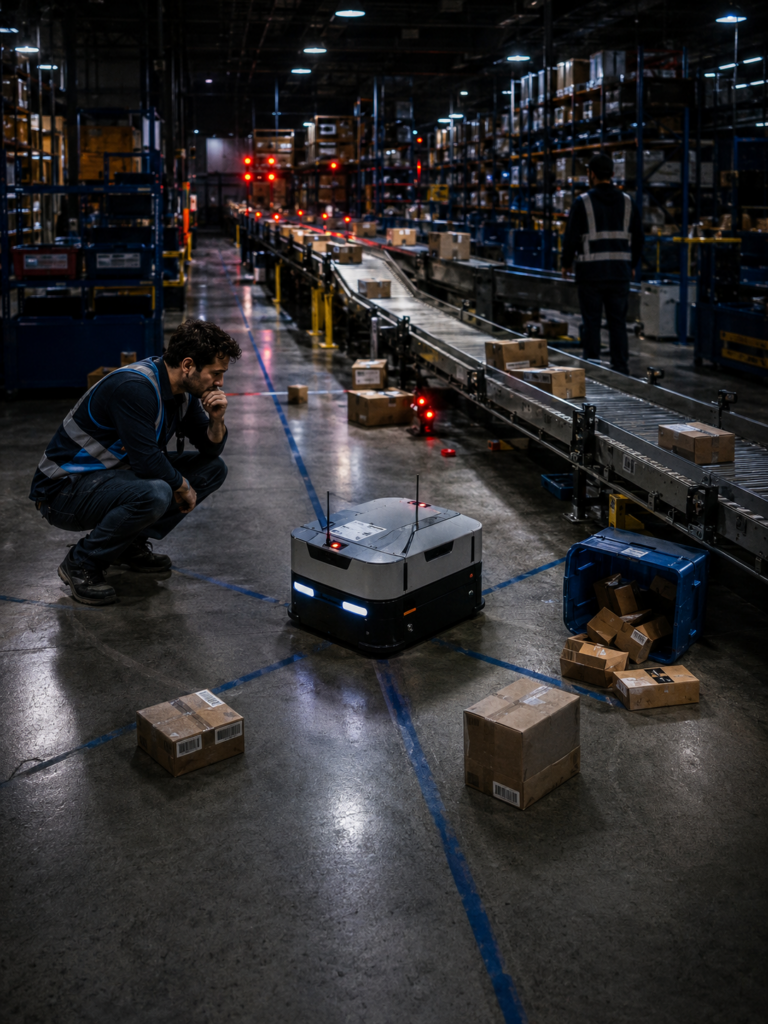
That is where many AI projects run into trouble.
Not because AI has no value. It clearly does. The problem is that AI cannot always overcome a broken process, weak data, or a vague business goal. If the company does not know exactly what the AI should do, what information it should trust, when it should escalate, and how success will be measured, the project can quickly drift.
This is why many failed AI projects seem to follow a similar pattern. The company starts with excitement, moves into a pilot, sees early promise, and then discovers the hard parts later. The edge cases show up. The integration issues appear. The human backup plan is not strong enough. The AI performs well in some situations but poorly in others.
That does not mean companies should wait.
In fact, waiting may be the bigger risk. AI is already changing sales, support, operations, marketing, hiring, reporting, and customer service. Businesses that ignore it for the next few years may find themselves competing against companies that respond faster, follow up better, operate leaner, and serve customers after hours without adding staff.
But there is a difference between starting and rushing.
The safest path is usually to begin with specific, practical problems. Missed calls. Slow lead follow-up. Repetitive customer service questions. Review requests. Appointment scheduling. Internal knowledge search. CRM updates. These are not always flashy use cases, but they are easier to measure and much easier to improve over time.
That is the pattern worth paying attention to.
AI projects usually fail when companies treat AI like a magic layer they can place on top of the business. They tend to work better when AI is built into a clear workflow, connected to reliable information, watched by humans where needed, and measured against real business results.
Starbucks: When AI Meets the Real World
Starbucks is a good place to start because the failure makes sense once you think about the environment.
The company rolled out an AI inventory counting tool across North America. The goal was reasonable. Starbucks wanted better visibility into store inventory so it could reduce shortages and make sure customers could actually order what was on the menu. That is not a silly idea. It is exactly the kind of operational problem AI should eventually help solve.
But the tool struggled in practice. According to Reuters, it miscounted and mislabeled items, including products that looked similar, such as different milk types. Starbucks later retired the tool and moved back toward a more standard inventory counting process across stores.
This is where the real lesson starts.
Inventory sounds simple from the outside. You count what is on the shelf, update the system, and reorder what is missing. But anyone who has worked around retail, restaurants, warehouses, or supply chains knows it is rarely that clean. Products move. Labels face the wrong direction. Packaging changes. Employees are busy. Storage areas are crowded. Lighting is not always ideal. Similar items sit close together.

That is a hard environment for AI.
And to be fair, it would be a hard environment for people too. The difference is that people can often use common sense when something looks off. They can pause, check a label, ask another employee, or notice that the count simply does not feel right. An AI system has to be trained, tested, and improved until it can handle enough of those messy real-world situations reliably.
That does not mean Starbucks was wrong to try. In many ways, inventory is exactly where companies should be experimenting with AI. The work is repetitive, the business value is clear, and even small improvements can matter across thousands of locations.
The problem is that operational AI has a higher bar than a flashy demo. A tool cannot just work in the best conditions. It has to work on a busy Tuesday morning, in a crowded stockroom, with products that look almost identical, inside a business where small errors can ripple into customer frustration.
For smaller and mid-sized companies, the lesson is not to avoid AI inventory tools, AI forecasting, or AI operations software. The lesson is to start smaller and test harder. Use AI on one workflow, in one location, with clear success metrics. Compare the results against the current process. Watch where it fails. Keep the human backup in place until the system earns more trust.
That is not a slower approach.
It is a safer one.
Because the goal is not to “use AI.” The goal is to make the business work better.
McDonald’s: A Failed Pilot Is Not Always a Failed Strategy
McDonald’s is another useful example, but maybe not for the obvious reason.
The company tested AI-powered drive-thru ordering with IBM at select restaurants, then decided to end that version of the program. The test had become known for order mistakes, and some of those mistakes spread online because they were funny, frustrating, and easy to share. AP reported that McDonald’s ended the IBM partnership for that automated order-taking test, while still saying voice ordering could be part of its future.
That detail matters.
McDonald’s did not say, “AI is finished.” It stopped one version of one test.

That is actually an important distinction. A pilot is supposed to find problems. That is the point. The trouble starts when a company treats a pilot like proof before the system has really earned it.
Drive-thru ordering sounds simple until you think about what is happening in the moment. Cars are running. Kids are talking in the back seat. Someone is changing their order halfway through. A customer has an accent. The microphone quality is poor. The menu has substitutions, combos, sauces, sizes, limited-time offers, and local differences.
For a human employee, that can still be annoying. For AI, it can be a serious challenge.
The lesson is that customer-facing AI has to be tested against the chaos of real customers, not just the neat version of the workflow.
This is where smaller companies can learn something helpful. Before an AI agent starts handling every call, every customer, or every order, it should be tested in a limited role. Let it answer common questions. Let it qualify leads. Let it handle after-hours calls. Let it schedule appointments. Then watch what happens.
How often does it get things right?
How often does a person need to step in?
Are customers happier, or just cheaper to serve?
Those are the questions that matter.
The companies that get this right will probably not be the ones that never make mistakes. They will be the ones who catch the mistakes early, improve the system, and avoid pretending the technology is ready before it is.
Air Canada: When a Chatbot Says the Wrong Thing
Air Canada is probably the cleanest example of why customer-facing AI needs extra care.
A customer used the airline’s chatbot to ask about bereavement fares. The chatbot gave him the wrong information about when he could request a refund. He followed that guidance, bought the ticket, and later Air Canada denied the refund because the actual policy said something different. A Canadian tribunal eventually found Air Canada responsible for the chatbot’s misinformation.
This was not a huge technical disaster. It was not a robot crashing into a wall or an AI system making thousands of bad decisions at once. It was one wrong answer in one customer conversation.
But that is exactly why the case matters.
For a customer, the chatbot was not “an experiment.” It was not “a language model.” It was not “an automated interface.” It was Air Canada answering a question on Air Canada’s website. Most customers are not going to separate those things in their minds.

And honestly, why would they?
That is the uncomfortable part for any business using AI. Once an AI agent speaks to a customer, it represents the company. If it explains a policy, quotes a price, promises a refund, gives scheduling information, or describes a service, the customer may reasonably treat that answer as official.
This does not mean companies should avoid chatbots or AI agents. In many cases, they can be incredibly useful. They can answer common questions, reduce wait times, help people after hours, qualify leads, and keep customers from sitting on hold for basic information.
But they need boundaries.
For example, an AI agent should know where its information comes from. It should be connected to approved company policies, current pricing, service areas, calendars, FAQs, and internal documents. It should also know when to stop and hand the conversation to a person, especially when the issue involves refunds, legal terms, medical information, billing disputes, cancellations, or anything emotionally sensitive.
We need to be careful because trust is expensive to lose.
The Air Canada case is a simple reminder that customer service AI should not be treated like a casual website widget. It is part of the customer experience. And in some situations, it may become part of the company’s legal and financial responsibility too.
For most businesses, the safer path is not complicated. Start with low-risk questions. Use approved source material. Log conversations. Review the answers. Give the AI clear escalation rules. Then expand once the system has proven itself.
That is how AI becomes useful without becoming reckless.
The Better Way: Start With Practical Wins
The best AI projects usually do not start with the biggest dream.
They start with an obvious problem.
That may sound too simple, but it matters. A lot of companies get into trouble because they begin with a vague goal like, “We need to use AI.” From there, the conversation gets broad very quickly. Chatbots, automation, analytics, agents, content, customer service, sales, operations, forecasting, internal tools.
Suddenly, AI becomes everything.
And when AI becomes everything, it often becomes nothing specific enough to measure.

A better starting point is usually smaller and more practical. Look for the places where the business is already losing time, money, or opportunities. These are often not glamorous problems, but they are usually the safest places to begin.
Missed calls are a good example.
If a business misses calls after hours, during lunch, or when the team is busy, that is a clear problem. An AI phone agent can answer, collect information, qualify the lead, send a text follow-up, and even schedule an appointment. You can measure whether it worked. How many calls were answered? How many leads were captured? How many appointments were booked?
That is a clean use case.
The same idea applies to slow lead follow-up. Many businesses spend money to generate leads, then respond too late. An AI agent can follow up within seconds, ask basic questions, route the lead, and keep the conversation moving. It does not need to run the whole company. It just needs to prevent good leads from going cold.
Customer service is another practical starting point, as long as the role is clear. AI can answer common questions, summarize issues, collect details, and escalate when needed. It does not have to replace the entire support team on day one. In many cases, the first win is simply reducing the repetitive work that drains everyone’s time.
Internal knowledge search can also be valuable. Most companies have documents, policies, emails, proposals, training material, and old project notes scattered everywhere. An AI system that helps employees find the right answer faster may not sound revolutionary, but it can save hours every week.
These are the kinds of AI projects that make sense because they are tied to real work.
That is very different from betting the business on a massive AI transformation before the company understands the risks.
For many businesses, the better path is to build confidence step by step. Start with a workflow where the value is clear. Keep the scope narrow. Watch the results. Fix what breaks. Then expand once the system has earned more responsibility.
This approach may not make the loudest headline.
But it is often how AI becomes useful in the real world.
A Smarter Framework for AI Deployment
A useful AI project should begin before anyone chooses a tool.
The first question should be simple: where is the business already feeling pain?
From there, the process should stay grounded.
First, define the workflow. What happens today? Who does the work? Where does the information come from? Where does the process slow down? What mistakes happen most often? These questions may sound basic, but they often reveal why automation is harder than expected.

Next, connect the AI to the right information. A chatbot, phone agent, or internal assistant is only as useful as the data it can trust. That may include CRM records, calendars, product details, service policies, call logs, documents, emails, support tickets, or pricing rules. Without that foundation, the AI is often forced to guess.
Then decide where humans belong in the process.
This part matters because not every task deserves the same level of automation. A simple appointment request may be safe for an AI agent to handle from start to finish. A refund dispute, custom quote, legal question, or angry customer probably needs a handoff. The point is not to remove people from every step. The point is to use people where their judgment matters most.
After that, measure results in plain business terms.
Finally, build with room to grow. The first AI project should not become a dead-end widget sitting on the edge of the business. Done correctly, it should become the first piece of a larger system. A phone agent can connect to scheduling. Scheduling can connect to follow-up. Follow-up can connect to the CRM. The CRM can connect to reporting. Over time, the company builds a smarter operating layer around the work it already does.
This is where custom development can make a difference.
Off-the-shelf AI tools can be useful, especially for simple needs. But many businesses eventually run into limits. They need the AI to understand their workflow, use their data, follow their rules, integrate with their systems, and adapt as the business changes.
That is usually where the real value starts to show up.
Not in the hype.
In the fit.
The Quiet Risk: Letting the Tool Define the Strategy
One problem that does not get enough attention is how much control a company gives away when it builds its AI strategy around a single vendor’s tool.
This is not always obvious at first. The tool looks polished. The demo is strong. The dashboard is clean. The sales team says it can do almost everything. For a while, that may be enough.
Then the business starts asking harder questions.
Can the AI use our internal data the way we need it to? Can it connect to our CRM, calendar, documents, call records, support system, and reporting tools? Can we change the workflow? Can we adjust the model? Can we export everything later? Can we see why it gave a certain answer? Can we move away if the vendor changes pricing, removes a feature, or gets acquired?
Those questions matter more than they seem.

Many AI tools are built to solve a general problem for many customers. That can be useful. But most businesses are not general. They have odd workflows, old systems, special rules, legacy data, human exceptions, and industry-specific details that do not always fit neatly inside someone else’s platform.
That is where the trap begins.
The company thinks it is buying flexibility, but it may actually be buying a box. A very impressive box, maybe, but still a box.
This is especially risky in AI because the market is changing so quickly. A tool that looks dominant today may be outdated in a year. A vendor may switch models. Pricing may jump. Features may disappear. Data rules may change. Another platform may suddenly become better, cheaper, or safer.
If the business is locked in too tightly, it cannot move.
That does not mean every company needs to build everything from scratch. That would be expensive and unnecessary for many situations. But businesses should be careful about making AI decisions that leave them with no exit path.
A healthier approach is to think about ownership from the beginning. Who owns the data? Who owns the workflow logic? Can the system be modified? Can new models be added? Can the company replace one vendor without rebuilding the entire process?
These are not glamorous questions.
But they are the questions that protect the business later.
The companies that get long-term value from AI will probably use a mix of tools, custom development, integrations, and internal knowledge. The exact mix will vary. But the principle is the same: AI should become part of the company’s operating system, not a rented feature the company cannot control.
That may be one of the biggest lessons from this entire wave of AI adoption.
The danger is not only choosing the wrong tool.
It is building the future of the business around a tool the business does not really own.
The Human Side Gets Ignored Too Often
One thing that gets lost in many AI conversations is how people inside the company feel about the system.
That may sound soft.
It is not.
If employees believe AI is being brought in mainly to replace them, they may not trust it. If they think the system was forced on them by leadership, they may use it as little as possible. If the AI creates more work, more monitoring, or more awkward customer conversations, they will notice long before executives do.
This is not because employees are anti-technology. Most people are fine with tools that make their jobs easier. What they dislike is being handed a system that does not understand the work, then being blamed when the system struggles.
That is a very real risk with AI.

A company may buy or build an impressive system, but the people closest to the work may see problems immediately. The sales team may know the lead questions are wrong. The support team may know the chatbot is giving answers that sound good but miss the customer’s real concern. The warehouse team may know the inventory tool works in one aisle and fails in another. The front desk may know customers are getting annoyed before the dashboard shows anything unusual.
Those people are not obstacles.
They are early warning systems.
This is one reason AI projects should not be designed only in boardrooms, strategy meetings, or vendor demos. The people who do the work need a voice in how the system is shaped. They know the exceptions. They know the shortcuts. They know which customers are easy, which ones are difficult, and which parts of the process only look simple from the outside.
Ignoring that knowledge can turn a decent AI idea into a frustrating rollout.
There is also a morale issue. If AI is introduced as a threat, employees may naturally protect themselves. But if it is introduced as a way to remove the most repetitive parts of the job, reduce stress, speed up routine tasks, and give people better information, the reaction can be very different.
That does not mean every employee will love it.
They will not.
But adoption gets easier when people can see how the tool helps them, not just how it helps the company cut costs.
For businesses, this may be one of the quieter lessons from failed AI projects. The technology matters, but so does buy-in. If the people closest to the work do not trust the system, the project is already in trouble.
AI should not be something that happens to employees.
It should be something they help shape.
Waiting Is Dangerous. Rushing Blind Is Worse.
The public AI failures are worth studying, but not because they prove AI is a mistake.
They prove that AI has to be handled with care.
Starbucks, McDonald’s, Air Canada, IBM, Zillow, Klarna, and others were not chasing foolish ideas. Most of the ideas made sense. Better inventory. Faster ordering. More responsive customer service. Smarter forecasting. More efficient operations. Those are real business goals.
The hard part is turning a good idea into a working system.

That is where many companies struggle. Not because they lack ambition, but because AI touches more than technology. It touches data, employees, customers, policies, workflows, accountability, and trust.
So the answer is not to wait on the sidelines.
Waiting has its own cost. Competitors are already learning. They are testing. They are building internal knowledge. They are finding places where AI can reduce friction, speed up work, and improve the customer experience. A company that waits too long may not just fall behind in technology. It may fall behind in how fast it can operate.
But rushing can be expensive too.
The better path is careful movement. Build systems that match the business. Keep the scope understandable. Use trusted information. Decide where people belong. Plan for maintenance. Protect flexibility. Improve the system as reality teaches you what the first version missed.
That may sound less exciting than the AI headlines.
But it is how useful technology usually enters a business.
Quietly at first.
Then deeply.
Then everywhere.
AI is not going away. The companies that benefit from it will not be the ones that panic-buy tools or wait until everything is perfect. They will be the ones that learn how to apply it thoughtfully, practically, and with enough humility to adjust when the real world pushes back.
Ready to See What AI Looks Like for Your Business?
At Intellic Labs, we don’t believe in generic demos or one-size-fits-all AI solutions. The same way this article asked you to meet your employees where they are, we meet your business where it is — inside your actual workflows, your real tools, and the specific friction points that are costing you time and revenue right now.

That’s why we created something a little different.
We’ll build you a free, custom AI walkthrough video — made specifically for your business.
Not a slide deck. Not a product overview. A short video built around your systems, your team, and your goals — so you can see exactly where AI can reduce friction, drive revenue, and create a better experience for both your customers and your people.
In your custom video, you’ll see:
✅ Where AI plugs into your existing stack — CRM, support, email, docs, and operations tools
✅ Which workflows can be fully automated end-to-end, not just “assisted”
✅ How we measure real ROI — cycle time, cost-to-serve, conversion, and resolution speed
✅ How we avoid the vendor lock-in and static platforms that leave most businesses stuck
No sales pressure. No buzzwords. No generic AI overview that could apply to any company on the planet. Just an honest look at what’s actually possible inside your operation — before you spend a dollar or a month in pilot purgatory.
We produce seven of these each week. Spots move quickly.
👉 Claim your free custom AI walkthrough video
Your team has more potential than any tool can unlock on its own. Let Intellic Labs help you show them what’s possible.